Know what to bring.
Before you get there.
How much fluid does this shot need on site? Which additives are in your mix—and how many bags should you order? Turn your bore dimensions and selected ground and fluid inputs into a practical supply estimate.
Pro Tools · next-release preview · public launch coming soon
Your mix.
Your order.
From the current plan
to quantities you can review.
How much fluid
for this shot?
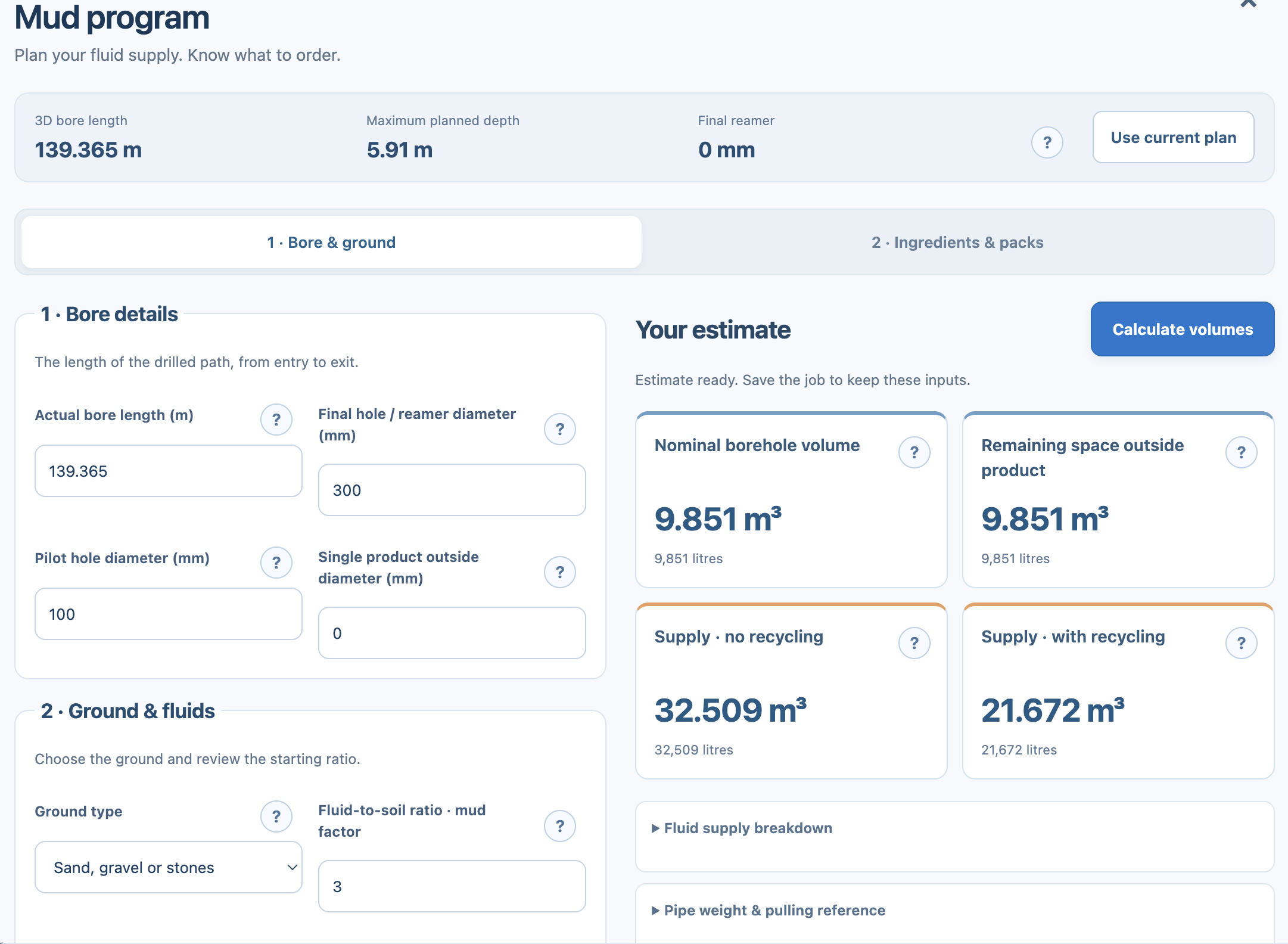
Start with the current plan’s 3D bore length and planned depth. Review the final hole or reamer diameter, pilot diameter and product size, then choose the ground and fluid assumptions for the estimate.
Mud program brings nominal borehole volume, remaining space outside the product and fluid supply estimates into view. Compare supply with and without recycling, and inspect the breakdown behind the result.
- Use dimensions from the current bore plan
- Review ground type and fluid-to-soil ratio
- Compare recycling and no-recycling scenarios
- See supply in cubic metres and litres
These are planning estimates based on your inputs. Nominal borehole volume and fresh fluid supply are different quantities; check the method and assumptions for the ground and operating conditions.
From the mix.
To the order.
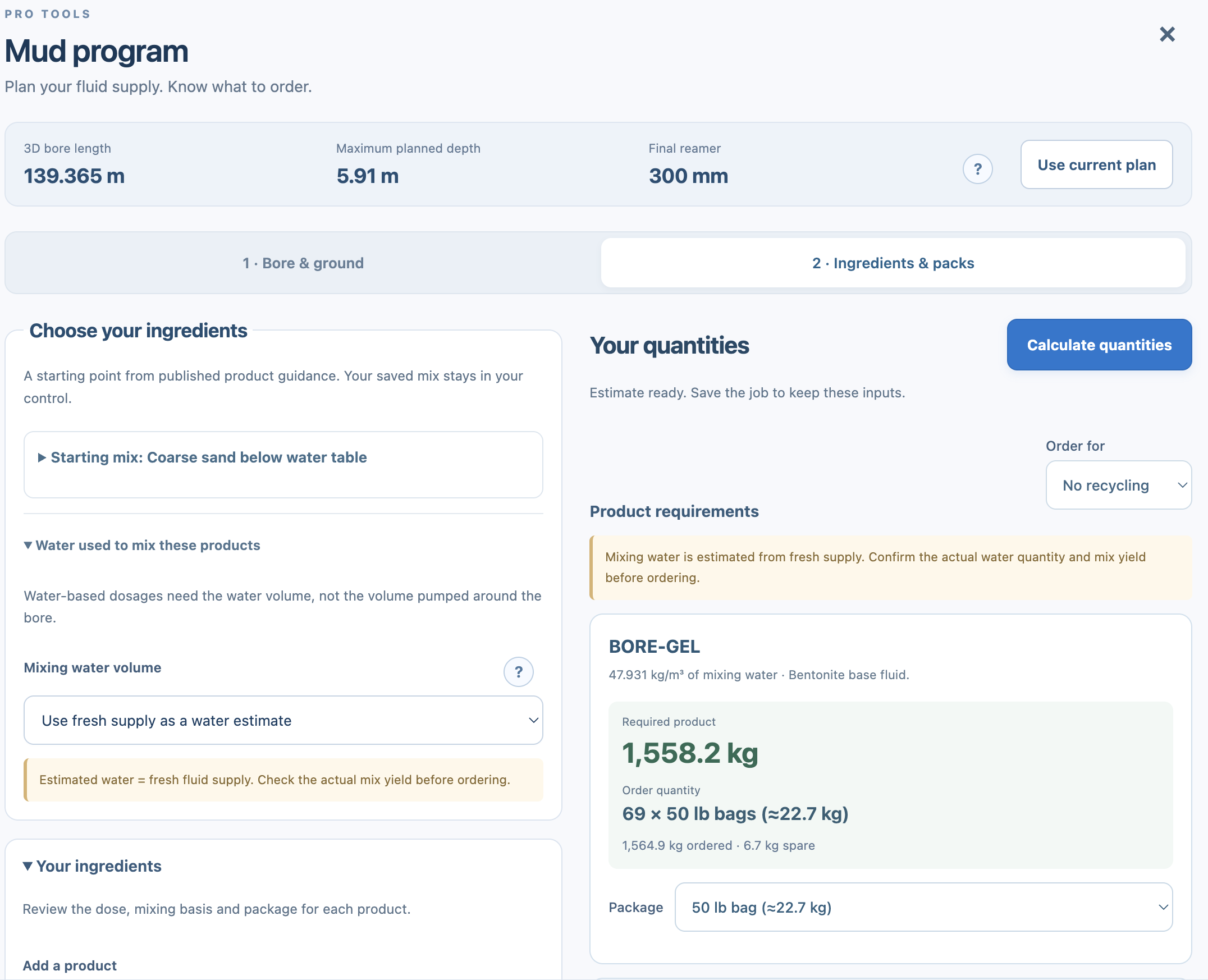
Review a starting mix based on published product guidance, then choose and check the ingredients, dosage, mixing basis and package size. Your saved mix stays in your control.
Calculate the required product quantity, then see it as packs or bags to order. Change the package size and review the order quantity and spare material. Get a clearer supply list ready before the crew heads to site.
- Review additives and doses for your selected mix
- Set the mixing-water volume used for dosage
- Convert required material into selected pack sizes
- Review ordered quantity and spare material
Water-based dosage uses mixing-water volume, not the volume circulated around the bore. Confirm actual water quantity and mix yield before ordering. Product suitability and dosage need review against supplier guidance and site conditions.
The bore is planned.
Bring the supplies into it.
Keep fluid and materials planning connected to the shot you are designing. Review the estimate, check the mix and pack quantities, and arrange the supplies needed for the selected scenario before mobilising.
The estimate responds to your bore dimensions and selected inputs. Save the job to retain those inputs for the next review.
Explore the pre-bore planning workflow →Before you order.
Does Mud program use my bore plan?
Yes. Use the current plan to bring the bore dimensions into the workflow, then review the bore, ground, fluid and product inputs used for the estimate.
Can it calculate bags or packs to order?
Yes. Review the ingredient dosage and mixing basis, calculate the required material and select a package size. The app shows the resulting order quantity and spare material. Confirm the water quantity, mix yield and supplier requirements before placing an order.
Does this guarantee the exact fluid used on site?
No. It is a planning estimate based on the selected dimensions, assumptions and mix. Actual demand depends on ground behaviour, losses, operating conditions and recycling performance. Review the estimate with the people responsible for the fluid program.
Is Mud program publicly available?
Mud program is shown as a next-release preview. HDD Studio’s public launch, pricing and platform availability have not yet been announced. Register interest for launch information.
Your next bore.
A better starting point.
Register for launch information and choose whether to receive news of subscription discounts.
Register your interest ↗Talk to HDD Studio →