The bore in context.
Job summary, bore profile and crossing information, including the relevant clearance detail.
Turn the work into a record people can review. Bring the bore profile, rod schedule, crossings and recorded readings together—from the pre-bore plan to the as-built report.
Working reporting toolkit · public launch coming soon
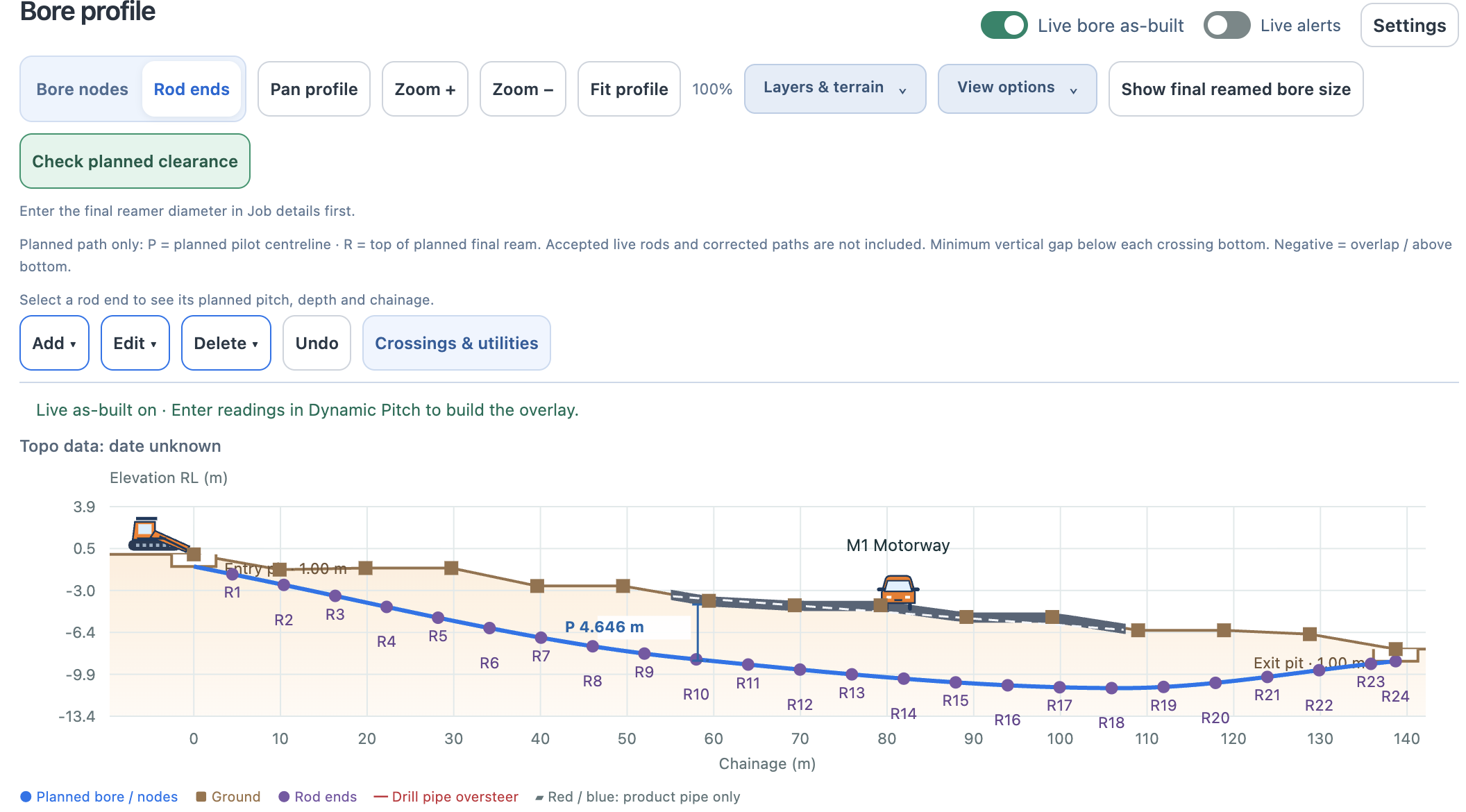
The plan describes the intended bore. The as-built report brings the recorded work back into view. Keep planned, recorded and corrected values clearly distinguished, so the finished record explains the job.
Pre-bore and as-built PDFs bring the job summary, profile, crossing information and rod schedule together. Named, dated review records help keep review context alongside the design and field information.
Job summary, bore profile and crossing information, including the relevant clearance detail.
Rod pitch and cover, planned and recorded values, corrected targets and reported lateral offsets.
Drill/product steering limits and named, dated review records, with the source information kept in context.
The profile gives the overview. The rod schedule carries the detail. Bring the planned and recorded information into the reporting workflow, with their sources and status clearly distinguished.
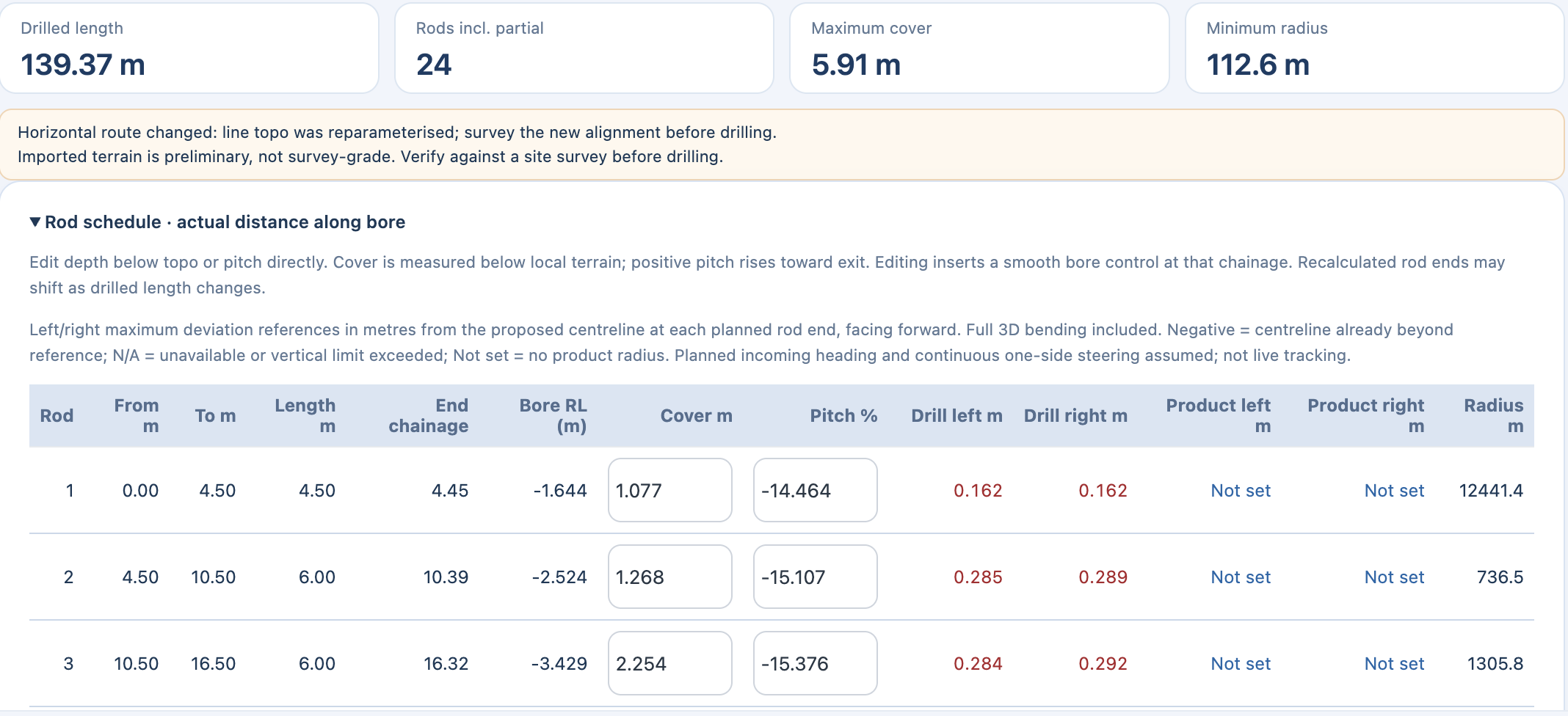
These screenshots show the in-app records behind reporting. Planned values remain distinct from recorded as-built data.
Didn’t use Dynamic Steer? Import a supported guidance-system as-built export and bring the record into HDD Studio.
Supported file formats and versions apply. A supported brand does not mean every export is compatible or that a live hardware integration is provided. HDD Studio is independent and is not affiliated with or endorsed by these manufacturers.
Ask about your export format ↗Give the people commissioning the work a clearer completed record: the bore profile, the rod data, recorded deviations, crossing information and review context.
Read-only browser sharing is in connected private testing: share the published plan and accepted rods with clients, principal contractors and asset owners without app installation. Viewers cannot edit the job or see team chat. The as-built report is the detailed record at handover. Proposed depth and bend-limit indicators remain in development.
Reports reflect the source plan and recorded data. An imported guidance record is not automatically an independently surveyed or certified as-built. Review completeness, accuracy and the project’s handover requirements. Refined report layouts are in next-release preview.
Yes. The reporting workflow supports imported as-built exports from supported Subsite, DCI and Underground Magnetics sources. Confirm the precise format and version before relying on a file import.
No. The report represents the supplied plan and recorded information. The required accuracy, verification and survey evidence depend on the project. Use appropriate verified source data and review the final record.
Read-only browser sharing is in connected private testing. Share an expiring link to the published plan and accepted rods; updates appear automatically when connected. Anyone holding the link can view until it expires or sharing is stopped. Viewers cannot edit the job or see team chat. Depth-deviation indicators and oversteer warnings remain in development; public availability has not been announced.
Register for launch information and choose whether to receive news of subscription discounts.
Register your interest ↗Talk to HDD Studio →